AccuroAI
Book a demo
AccuroAI/Industry

Protect attorney-client privilege.

Lawyers and staff use AI to draft, summarize and review, sometimes on personal accounts. AccuroAI stops privileged documents from reaching public AI, redacts client identifiers inline, and keeps the firm's licensed AI tool working so the drafting speed stays.
app.accuroai.co
Live
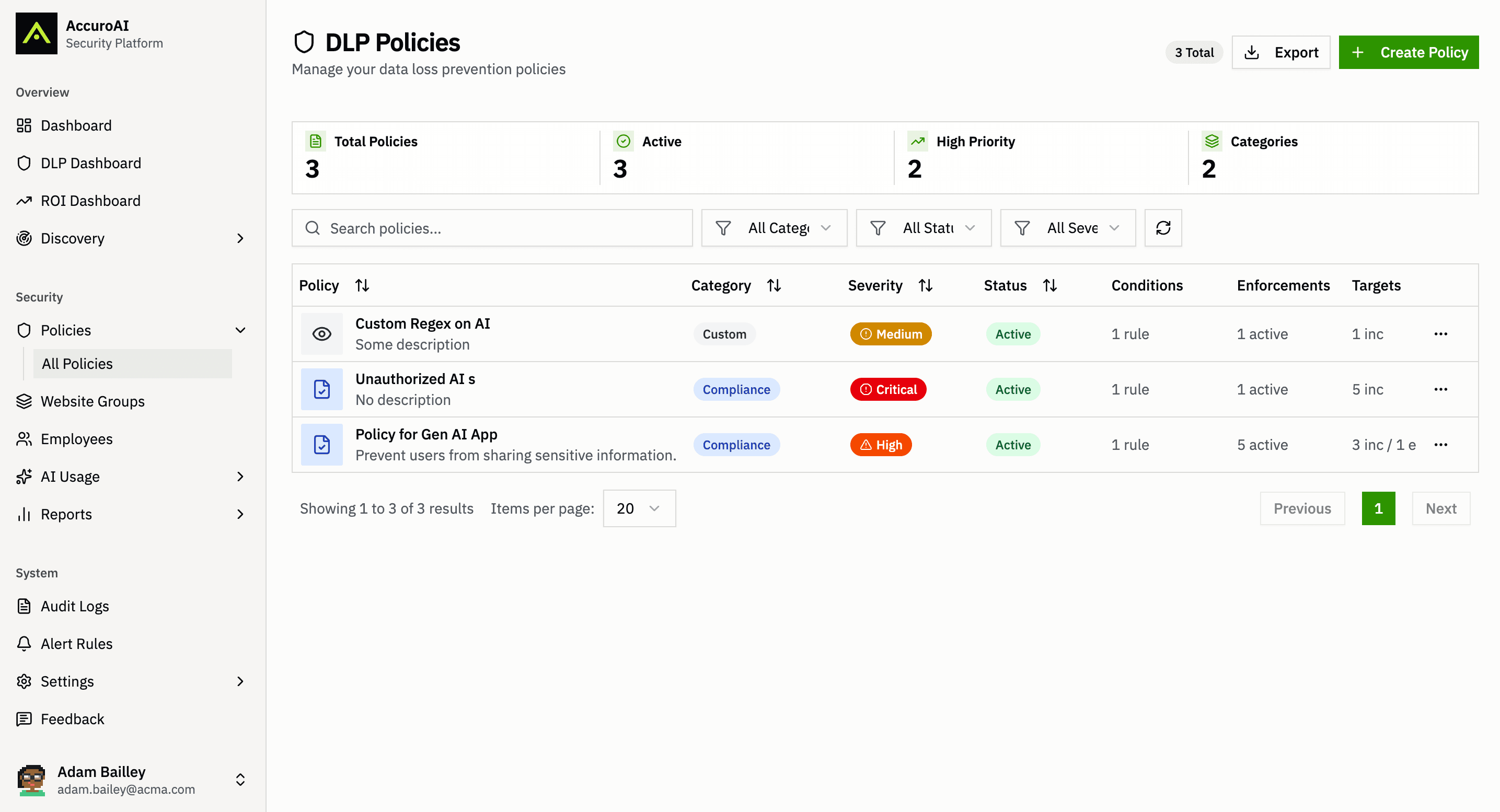
Industry · Legal — AccuroAI dashboard
Sound familiar?

The problems this exists to solve.

A late-night upload
An associate drags a privileged memo into a personal chatbot to tighten the argument before a filing. The firm never sees it happen.
Confidentiality now covers AI
ABA Model Rule 1.6 asks lawyers to make reasonable efforts to prevent unauthorized disclosure of client information, and ABA Formal Opinion 512 applies that duty to generative AI. A policy memo alone is hard to point to as an effort.
Clients ask how you use AI
Outside counsel guidelines and client security questionnaires now ask which AI tools touch their matters and how their data is protected.
Capabilities

Built for enterprise AI.

Privileged documents kept off public AI
A draft agreement in Word, a deposition PDF or a scanned exhibit containing sensitive data is stopped before upload to public or personal AI.
The firm's licensed AI stays open
The same document goes through to the licensed Copilot signed in with the firm identity, so lawyers keep the tool the firm has vetted.
Client identifiers redacted in the prompt
SSNs, account numbers, email addresses and card data pasted into a chat are redacted inline by 40+ classifiers. The summary still gets written.
Personal AI accounts blocked
Policy keys off the signed-in account. A personal ChatGPT login is blocked while the firm's business account works.
Every AI tool at the firm, found
Shadow AI discovery across browser and desktop, matched to a 1,400+ tool catalog, shows which legal and general AI tools are in use and on which account and plan.
A record for client audits
Administrator and employee audit logs show who changed which policy and what each person's AI activity triggered. Export a report for one lawyer, a practice group or the whole firm.
In practice

How it works for your team, day to day.

01

Stop privileged files at the upload

Uploads of .docx, .xlsx and .pdf files and of .jpeg and .png images that contain sensitive data are blocked on their way to public or personal AI. Uploads to the licensed tool signed in with the firm identity are allowed, so the firm decides where privileged material can go.

Sensitive document and image uploads blocked to public AI
Uploads allowed to the licensed tool on the firm identity
Every block logged with the user and the app
02

Redact client data without slowing drafting

Client identifiers such as SSNs, account numbers and email addresses are redacted inline in real time, before the prompt is sent. The AI answers on the cleaned text, so a paralegal can still summarize a settlement file without the numbers leaving the firm.

Inline redaction at under 38ms p99
Card numbers, CVVs and expiry dates redacted too
Unapproved AI apps blocked by domain policy
03

Show clients that AI use is controlled

A live AI inventory, email alerts to named administrators on every violation, and audit logs at administrator and employee level give the firm a record to share in client audits. Conversations are captured only when a policy is violated, so routine client work is not stored.

Live AI inventory with signed-in account and plan
Violation alerts to named IT and risk staff
Evidence mapped to 8 frameworks
FAQ

The questions we hear most.

Does AccuroAI satisfy our duties under Model Rule 1.6?

No tool can do that for a lawyer. The duty to protect client confidences rests with the firm and its lawyers. AccuroAI keeps client data out of AI tools you have not approved, redacts it where AI is allowed, and keeps a record of the steps the firm took.

Will it store our privileged conversations?

No. Discovery records which AI tools are in use, by which account and on which plan. Conversation content is captured only when it violates a policy, such as a blocked upload or a pasted SSN.

Can lawyers keep using the firm's licensed AI?

Yes. Policies distinguish the account as well as the app, so uploads to the licensed tool signed in with the firm identity go through, while uploads to public or personal AI accounts are stopped.

Does this integrate with our DMS?

No integration is needed. Enforcement runs on the device, through a browser extension for Chrome and Edge and the AccuroAI Desktop App, so it governs what goes to AI tools whichever DMS you run. There is no TLS interception and no proxy.

How can we try it?

Deploy through the MDM you already run, or without MDM for a pilot. A 72-hour pilot maps the AI already in use across the firm before any policy is enforced.

Related
Team
Automated compliance reporting.
Auditors and regulators now ask how employees use AI. AccuroAI keeps audit logs at administrator and employee level, maps evidence to 8 frameworks, exports the AI inventory on request, and captures conversations only when a policy is broken.
Learn more →
Use case
Control access to AI applications.
Policy-as-code for every model, every team, every prompt. Versioned, reviewable, auditable. The compliance story the board needs.
Learn more →
Risk
Stop sensitive data exposure.
Inline DLP for prompts and responses. PII, PHI, source, secrets, financial records, redacted before the prompt leaves the browser, caught before the response reaches the user.
Learn more →
Stop guessing. Start governing.

Most teams cannot produce a list of the AI actually running in their business. A 30-minute demo shows you yours: every tool, every user, every risk, on your own estate.

Book a demoTake the free AI readiness assessment

15 enterprises secured · under 38ms p99 · Deployed in under 30 minutes · 72-hour pilot